Self-service terminal

Order and pay without queuing, with a bigger bill

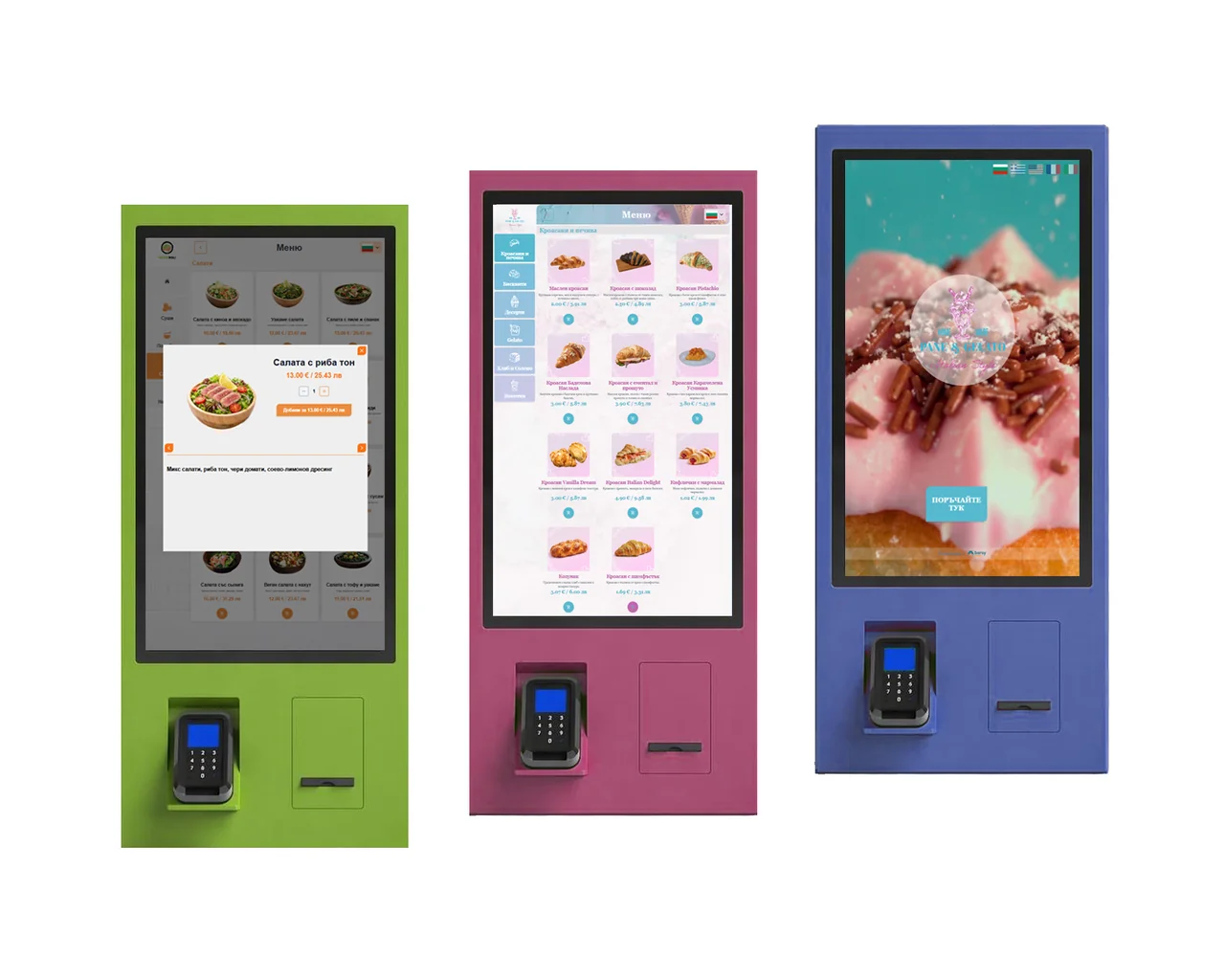
The kiosk shows the whole menu with photos, prices, allergens and extras. The guest chooses, pays by card or in cash and gets an order number. The order goes straight to the kitchen or bar, and the data lands in barsy with no manual entry. While the guest is choosing, the kiosk suggests a larger size, a drink or a dessert, just as a good server would.
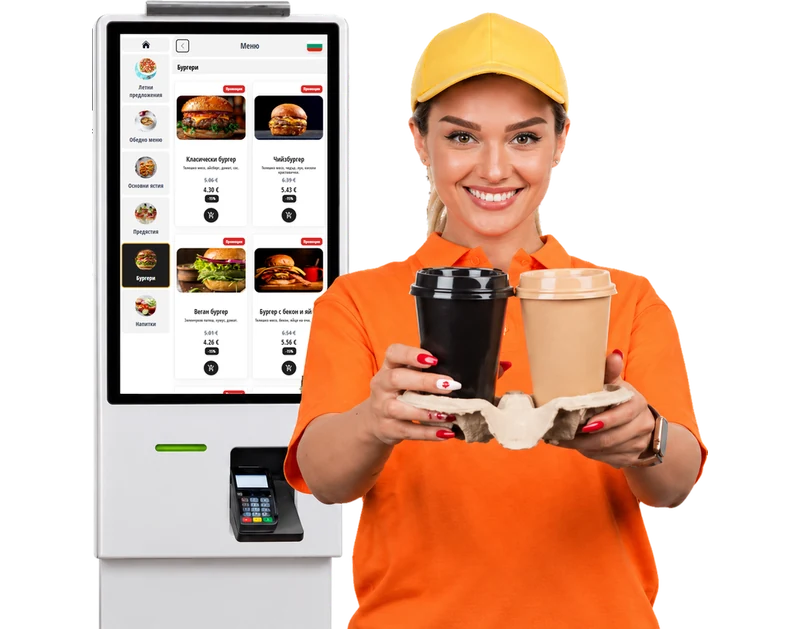
Self-service terminal
How does the guest order?

How does the guest order?

  • Start screen with ads: while no one is ordering, the kiosk shows your promotional content.
  • Language choice: the guest picks one of the languages active at your venue. Ideal for tourist areas.
  • Eat in or take away: the guest chooses on the very first screen.
  • Menu with photos: categories, photos, allergens, extras and modifiers. The old price is shown crossed out during a promotion.
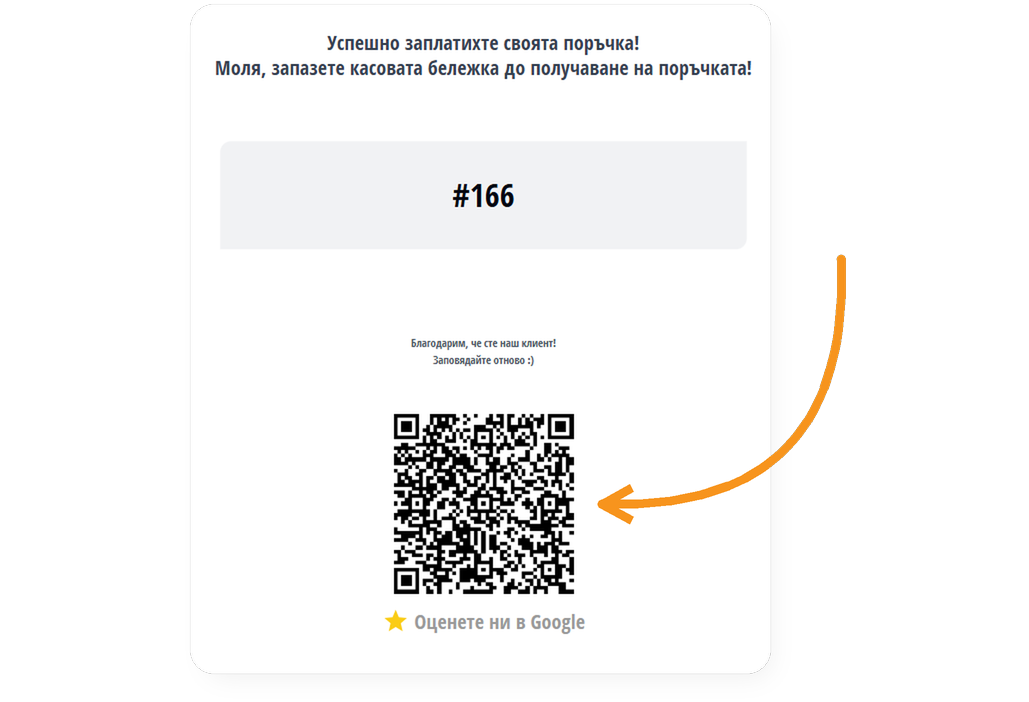
  • Order number: shown on screen and printed on the receipt.
More sales with every order

More sales with every order

The kiosk never forgets to suggest something more. You decide what is offered with what in the barsy back office.

  • Upgrade (upsell): when the guest adds an item, the kiosk instantly suggests a larger or richer option and shows the price difference. For example a large meal instead of a regular one, or a double burger instead of a single.
  • Recommended items (cross-sell): before payment the kiosk shows “We recommend” with items that go well with the order: a drink with the sandwich, a dessert with the coffee, a dip with the fries.
  • Consumables: in the same window the guest chooses how many sets of cutlery, napkins or sauces they want. You write the question, for example “Would you like cutlery?”.
  • Suggestion performance: a barsy report shows how often each suggestion is shown and how often guests accept it.
Paying at the kiosk

Paying at the kiosk

  • By card: built-in payment terminal. The guest sees on screen what is happening with the payment.
  • In cash: with a cash machine that accepts notes and coins and gives change.
  • At the till: the guest orders at the kiosk and pays at the till. The same option is offered if a card payment fails.
  • With a voucher or bonus card: the rest can be paid by card or in cash.
  • The order goes through after payment: no unpaid orders reach the kitchen and there is no room for abuse.
Customer cards and loyalty

Customer cards and loyalty

  • Customer recognition: the guest scans their customer card, and the kiosk greets them and shows their discount.
  • Vouchers and bonus cards: after scanning, the guest sees their vouchers and can pay with them.
  • Barcode reader: the built-in scanner reads customer cards, vouchers and bonus cards.
Google review via QR code

Google review via QR code

A happy guest is the best moment to ask for a review. Enter your venue's Google ID in the kiosk settings, and a QR code for a Google review will appear on the final screen next to the order number.

The guest scans the code with their phone while waiting for the order and leaves a rating in seconds. More reviews mean a higher place in Google Maps and more new customers.

barsy will keep evolving as needed to reflect changes in Bulgarian regulations and in the environment your business operates in

Don't see your business here?

barsy works for all kinds of businesses. Tell us what you need and we will suggest a setup that fits yours.

Send an enquiry